Seamless Pattern Color
- 5.0
- Rating
- 50.00K
- Installs
- Free
- Price
 Analysis by App-foxy
I found Seamless Pattern Color most appealing when I wanted a quiet activity rather than a competitive game. It is a casual coloring game from LoveColoring Game, built around filling repeating patterns by number. The idea sounds simple, but the repeating artwork gives it a different feel from a standard coloring book: instead of completing one isolated picture, I gradually watch a whole visual rhythm come together.
My first impression was that it is aimed at people who enjoy calm, methodical play. The store describes it as a coloring and art puzzle for adults, yet the Everyone content rating makes it approachable for a broad audience. I would recommend it to someone who likes relaxing phone activities, decorative artwork, and small tasks that can be completed without learning complicated rules.
It is free to install, with optional in-app purchases ranging from $0.99 to $9.99 per item. That makes it easy to try without committing money first, although anyone who dislikes purchase prompts or prefers a completely unrestricted experience should pay attention to how the free portion feels during use. The game requires Android 8.0 or later and is currently listed as version 1.0.7.
You May Also Like

 AccuWeather: Weather Radar
AccuWeather Review: A Quick, Clear Forecast for Everyday Decisions
For everyday plans, the best forecast is the one you can understand quickly. AccuWeather makes rain timing, radar, and local conditions easy to act on, with a few trade-offs.

 Hill Climb Racing
Why Hill Climb Racing Still Turns Crashes Into One More Run
A tiny car, a bumpy hill and one more upgrade: Hill Climb Racing keeps resurfacing because its simple chaos makes every near-miss feel personal.

 AliExpress - Shopping App
AliExpress Makes Global Shopping Feel Personal, but Shoppers Bear the Risk
AliExpress turns a global marketplace into a pocket-sized discovery engine. Its reach is useful, its shopping loop compelling, and its trade-offs easy to miss.

 Lords Mobile: Kingdom Wars
Lords Mobile Is a Kingdom-Building Routine, Not a Quick Match
A case-by-case verdict on the building, battles, device demands, and social commitments that make Lords Mobile rewarding for some players and exhausting for others.

 PDF Scanner app - TapScanner
TapScanner Makes Paperwork Easier to Capture, Check, and Share
TapScanner makes scanning with a phone feel less like a rescue operation and more like a dependable step in getting work done. Its capture tools are useful, though not flawless.

 Block Blast!
 Shows How Much a Puzzle Game Can Leave Out
A quiet grid game shows why puzzle players increasingly value instant clarity, repeatable skill and low-pressure play—and where the genre still needs to catch up.
More From Our News Desk
View All News


What the first session feels like
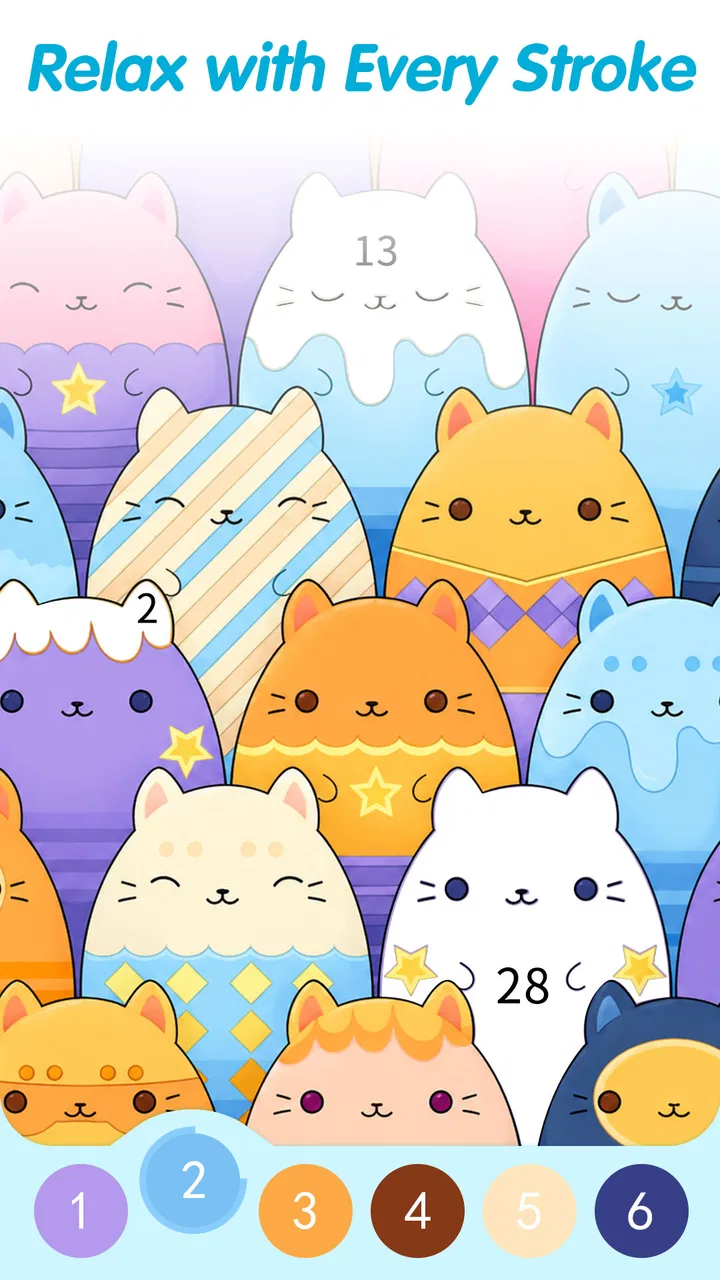
The central action is familiar: choose a color-number area, locate matching spaces, and fill them in until the pattern is complete. The appeal comes from repetition. A small mistake or unfinished patch is easy to spot, while a finished design has a satisfying consistency that ordinary coloring pages do not always provide.
I would not approach this as a game for fast reflexes or dramatic progression. There is no reason to rush through a pattern. The better mindset is to treat each session like a short visual reset between other tasks. I found that the numbered structure gives just enough direction to prevent the blank-page feeling that can make freehand coloring difficult.
The repeating format also changes how I judge progress. In a conventional picture, filling one section may barely alter the overall image. Here, completing a few matching areas can strengthen the entire design because the same color appears across the pattern. That makes partial progress feel more visible, which is useful when I only have a few minutes.
The game has attracted an average rating of 4.9 from around 1,200 ratings, alongside 62 written reviews and over 50,000 installs. Those figures suggest that the concept is connecting with its intended audience, but they do not change the practical question: whether this particular style of coloring suits you. If you want a peaceful pattern activity, the fit is promising. If you want story, competition, or a deep puzzle system, it may feel too narrow.
Getting started without overthinking the screen
For a first-time player, I recommend beginning with the simplest available pattern rather than choosing artwork based only on appearance. A design with larger, clearly separated areas is a better introduction than one filled with tiny repeated details. The goal of the first session is not to produce a perfect-looking image; it is to understand how the number-and-color relationship behaves.
Once a pattern is open, I would scan the artwork before tapping repeatedly. Look for the number that appears most often and start there. This gives an immediate sense of how the repeating layout works, and it reduces the feeling of searching randomly. After that, move to a less common number so the unfinished areas become easier to identify.
One useful habit is to work in passes. On the first pass, fill the most obvious areas. On the second, inspect the edges and small gaps. This is more comfortable than trying to finish each local section perfectly before moving elsewhere. Repeating designs can make your eyes jump between similar shapes, so a broad pass helps maintain orientation.
I also suggest holding the phone at a comfortable distance instead of bringing it close immediately. Small spaces can tempt you to zoom in or stare intensely, but the overall pattern matters too. Looking at the full design from time to time helps you notice whether the color balance is becoming even and keeps the activity from turning into tedious pixel hunting.
Reaching the first meaningful success
The first satisfying milestone is not simply tapping a few numbered spaces. It is completing enough of the pattern to see its visual rhythm clearly. I reached that point by choosing one color family, filling its visible spaces, and then stepping back to inspect the result before continuing.
This approach works because the artwork is designed around repetition. A single correct color can appear in several places, so one focused search may produce progress across the whole image. It also gives beginners a reliable routine: identify a number, find its matching spaces, fill them carefully, and reassess the full pattern.
If you are using the game during a short break, set a small target such as finishing one color group rather than completing the entire design. That target feels achievable and avoids turning a relaxing activity into an obligation. On a longer evening session, I would alternate between broad searches and detail work so that the smallest sections do not dominate the experience.
Another practical tip is to pause after a visually important area is complete. Repeated patterns can create a mild illusion that everything is finished because the design begins to look coherent before every space is filled. A deliberate pause lets you distinguish visual satisfaction from actual completion and makes it easier to find the remaining numbered areas.
Where new users may feel confused
The main potential confusion is understanding that the artwork is not meant to be colored in a simple left-to-right order. Because the same numbered color may be scattered throughout the design, the next useful space may be far from the one you just filled. That is normal for this format, not a sign that you selected the wrong area.
Another adjustment is accepting that small unfinished spaces can remain hidden inside an otherwise completed-looking motif. When I think a pattern is nearly done, I check repeated elements against one another instead of relying only on the overall impression. If one leaf, tile, or decorative shape looks slightly different from its partners, it is worth inspecting that area again.
It is also easy to mistake the game’s calm pace for a lack of feedback. This is not designed around loud action or urgent objectives. The reward is gradual visual completion. People who need constant challenges may interpret that as limited gameplay, while people seeking a low-pressure activity may see it as the main strength.
The purchase model is another point to consider before settling in. The game is free, but optional items cost between $0.99 and $9.99 each. I would begin with the free experience and decide whether the available artwork and workflow already justify regular use. That is a better approach than buying immediately and only later discovering that the basic coloring loop is not your style.
How it compares with ordinary coloring games
Compared with a typical digital coloring book, this game’s strongest distinction is the seamless pattern structure. Standard coloring apps often focus on a single recognizable object, scene, or illustration. Here, the visual payoff comes from repetition and continuity, so the finished result feels closer to a decorative textile, wallpaper, or ornamental tile than to a standalone picture.
That difference affects who will enjoy it. If you like seeing a character or landscape emerge, a conventional coloring app may offer a stronger emotional payoff. If you prefer symmetry, recurring shapes, and a design that becomes more polished through small repeated actions, this game has a clearer identity.
It also differs from puzzle games that demand deduction or planning. The numbers provide guidance, but the main challenge is careful observation rather than solving a complex logic problem. I would choose this title for decompression, not for testing strategy. It sits closer to mindful coloring than to a traditional level-based puzzle.
For creative users, the trade-off is equally clear. A freeform drawing tool gives you control over every mark, while this game gives you structure and a predictable route to a finished design. That makes it less expressive, but much easier to start. Someone who often opens a blank canvas and immediately feels stuck may appreciate that the next action is always defined.
Everyday situations where it fits well
I can see myself using it while waiting for an appointment, during a quiet commute as a passenger, or at the end of the day when I want something more engaging than scrolling but less demanding than a full game. A short session can still feel complete if I focus on one color group or a single section of the repeating design.
It may also work well for people who find ordinary meditation difficult. The numbered areas give the mind a concrete object of attention, while the repeated artwork keeps the task gentle. I would not describe it as a replacement for professional help or a guaranteed way to reduce stress, but as a simple concentration ritual it has a sensible place.
Parents and children can approach it differently because of the Everyone rating. Younger players may enjoy the matching activity, while adults may care more about the decorative result. I would still choose patterns and session lengths according to the player’s patience, since tiny details can become frustrating for someone who wants quick visual rewards.
It is less suitable for a group setting, unless people are taking turns or comparing completed artwork. The experience is primarily individual and quiet. It will not replace a multiplayer game when the goal is conversation, competition, or shared progress.
Small habits that make the experience better
My most useful workflow is to alternate between “search mode” and “finish mode.” In search mode, I look across the whole pattern for matching numbers and fill the easy areas first. In finish mode, I slow down and inspect corners, narrow shapes, and repeated motifs. Separating those two mental tasks prevents the session from feeling like one long hunt.
I would also avoid judging a pattern too early. Repeating designs can look unbalanced while only a few colors are present, especially when one shade appears in many scattered locations. Let the structure develop before deciding whether the artwork appeals to you. This is a small but important difference from ordinary coloring pages, where the subject is usually recognizable from the beginning.
When playing on a smaller phone, I would prioritize larger numbered regions and leave the most delicate details for a moment when I can concentrate. Trying to complete tiny spaces while walking, multitasking, or dealing with glare is likely to create unnecessary frustration. The game is relaxing only when the physical setup supports careful tapping.
For a longer session, I would stop after completing a satisfying stage rather than continuing until the activity feels repetitive. The loop is intentionally gentle, and that means it can lose its charm if treated like a game that must be played for hours. Its strength is easy access, not endless intensity.
Who should try it, and who should skip it
I think this is a good match for first-time users who want a guided coloring experience, fans of decorative patterns, and anyone who enjoys quiet progress without timers or complicated controls. It is especially approachable if you like the idea of art apps but do not want to draw from scratch.
I would be more cautious recommending it to someone who needs a strong sense of achievement after every tap. The individual actions are small, and the satisfaction builds across the whole pattern. Players looking for combat, narrative, social competition, or demanding brainteasers should choose another type of game instead.
People who are sensitive to in-app purchase prompts should begin carefully and review each purchase decision before confirming it. The free entry point is helpful, but the presence of optional items means the experience is not the same as buying a single complete coloring book outright.
Device compatibility is straightforward for many users because it supports Android 8.0 and later. Before installing, I would still check the phone’s operating system and available space, especially on an older device. The current version is 1.0.7, so keeping the app updated is sensible when an update is available.
My recommendation after using it
Seamless Pattern Color succeeds because it understands the value of a narrow, calm idea. It does not need elaborate mechanics to make numbered coloring feel worthwhile; the repeating artwork supplies the identity. I enjoyed the way a few small decisions gradually changed the whole design, and I found the structured process easier to begin than freehand drawing.
Its limitations are tied to the same simplicity. The experience may feel repetitive if you need constant novelty, and the purchase options deserve attention if you want to keep every part of a free app completely cost-free. The repeating patterns are also a specific taste: they will appeal strongly to some players and leave others wishing for scenes, characters, or more creative control.
For a first session, I would install it, choose an approachable pattern, complete one obvious color group, and then inspect the full design before deciding whether to continue. That small test tells you almost everything important: whether you like searching for scattered numbered spaces, whether the visual rhythm feels satisfying, and whether the pace matches the kind of break you want.
My final view is positive, with a clear qualification: this is best as a peaceful pattern-coloring pastime, not as a deep conventional game. If that sounds like the activity you have been looking for, the free download makes trying it easy. If you want richer strategy or open-ended artistic control, a different app will probably serve you better.
FAQs for Seamless Pattern Color
01What is Seamless Pattern Color and what can I use it for?
Seamless Pattern Color is a creative coloring app focused on repeating patterns and decorative designs. After testing it, I found it useful for relaxing, experimenting with color combinations, and creating visually pleasing artwork without needing advanced drawing skills. It is suitable for casual users, children with supervision, and anyone who enjoys pattern-based coloring activities on a mobile device.
02Is Seamless Pattern Color free to download and use?
The app can generally be downloaded for free, but availability of features may depend on the version installed and the platform’s current store listing. Some designs, color options, tools, or extra content may be restricted behind advertisements or optional in-app purchases. Before downloading, check the Google Play Store or App Store description carefully, especially the pricing and subscription information shown for your region.
03Does Seamless Pattern Color work offline?
Many of the app’s basic coloring functions can usually be used without a constant internet connection once the necessary content has loaded. However, an internet connection may still be required for advertisements, downloading additional patterns, synchronizing data, restoring purchases, or accessing online features. If offline use is important to you, test the app after enabling airplane mode, since functionality can vary between versions.
04Is Seamless Pattern Color suitable for children?
Seamless Pattern Color has a simple, visual interface that can be approachable for children, particularly those who enjoy coloring and repeating designs. Nevertheless, parents should review the app’s advertising, purchase options, and privacy information before allowing independent use. Depending on the device and version, children may encounter promotional content or accidental purchase prompts, so parental controls and supervision are recommended.
05What should I know about privacy and device permissions before installing it?
Before installing Seamless Pattern Color, review the permissions and privacy details displayed on the relevant app store. A coloring app may request access related to saving or sharing artwork, while advertising or analytics services can collect certain usage or device information. Avoid granting permissions that seem unnecessary, and check the developer’s privacy policy if you plan to save personal images or use social sharing features.
Pros
- Simple tools make creating repeating patterns quick and accessible.
- Color-focused design encourages experimentation with custom palettes.
- Useful for wallpapers
- backgrounds
- crafts
- and digital projects.
- Pattern previews help check how colors repeat across the canvas.
- Lightweight concept suitable for short
- casual creative sessions.
Cons
- Advanced users may find the editing options too limited.
- Complex patterns can require patience and repeated manual adjustments.
- Export choices may not meet professional printing requirements.
- Very detailed designs could become difficult to manage on smaller screens.
- The app’s usefulness depends heavily on personal interest in pattern design.

Seamless Pattern Color
Gallery